
Exitway
Choose which VPN each device at home uses. On iPhone, iPad and Apple TV.
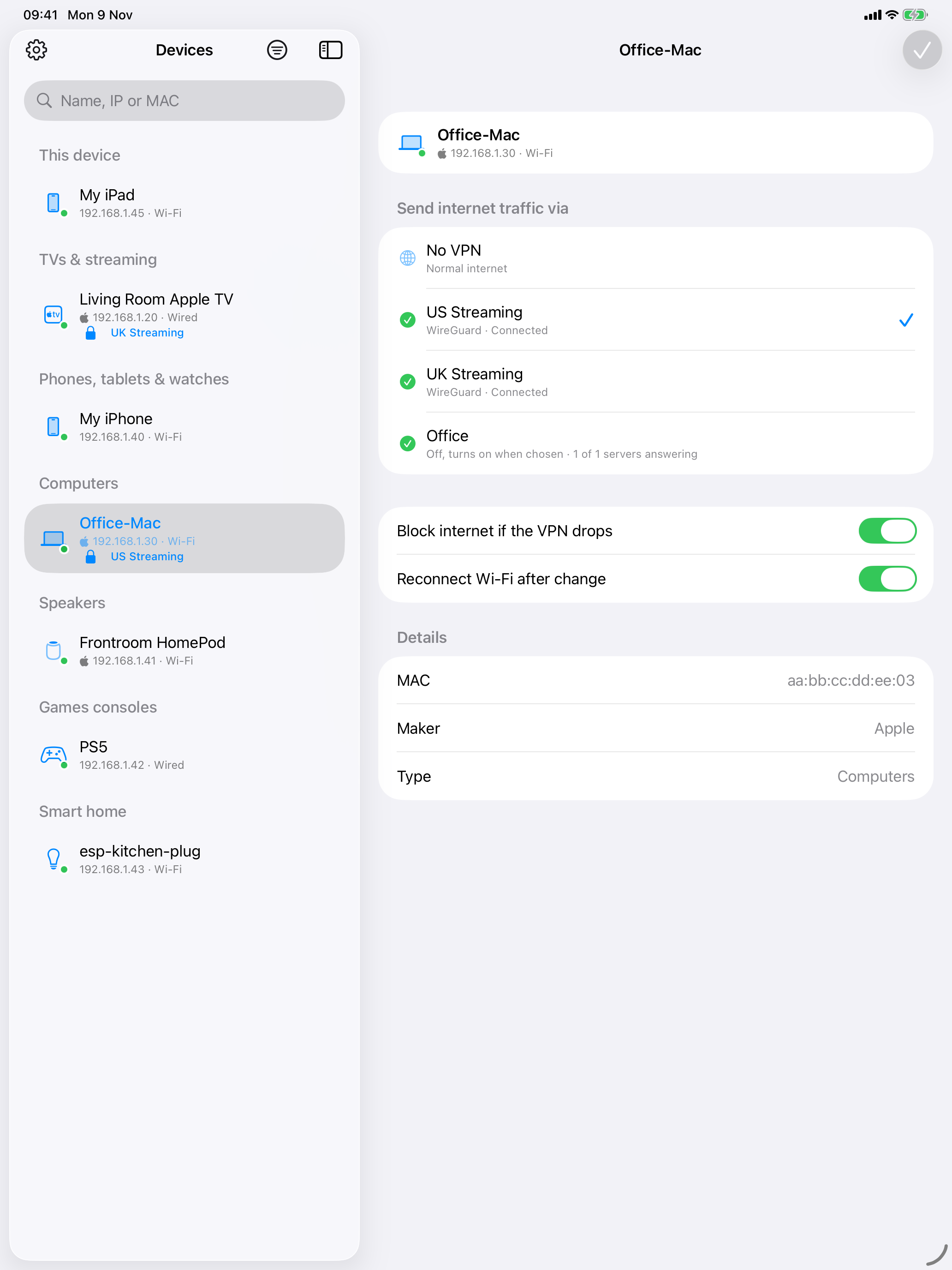
Move a device to a VPN without touching it.
Exitway changes the routing on your own UniFi console, so the TV, games console or laptop you move needs no VPN app.
Every device on your network.
The device you are holding is at the top. The rest are grouped into TVs and streaming, phones and tablets, computers, speakers, games consoles and smart home. Search by name, IP or MAC.
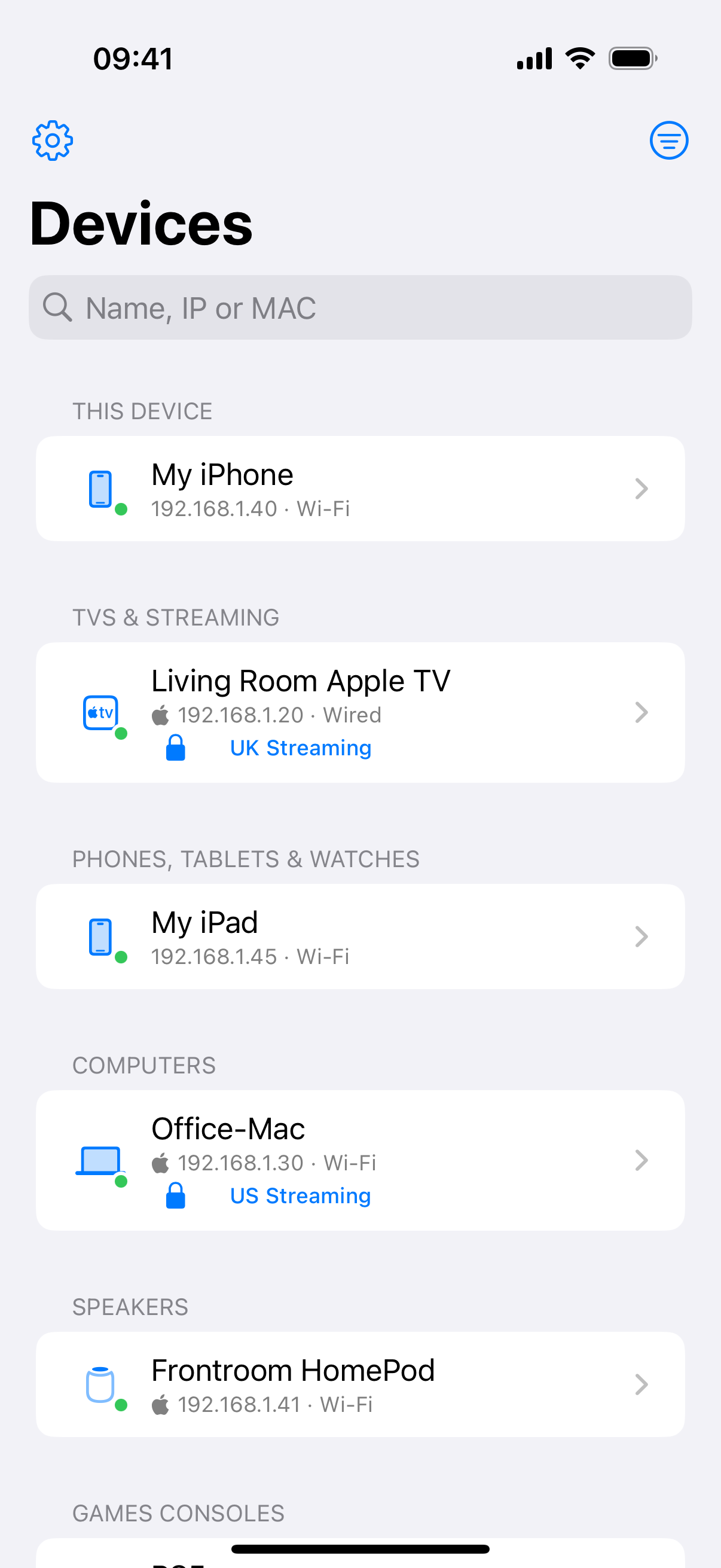
Pick a VPN. Tap the tick.
Choose a VPN or No VPN for a device. Exitway reads the console back and only says it is done once the console has confirmed the change.
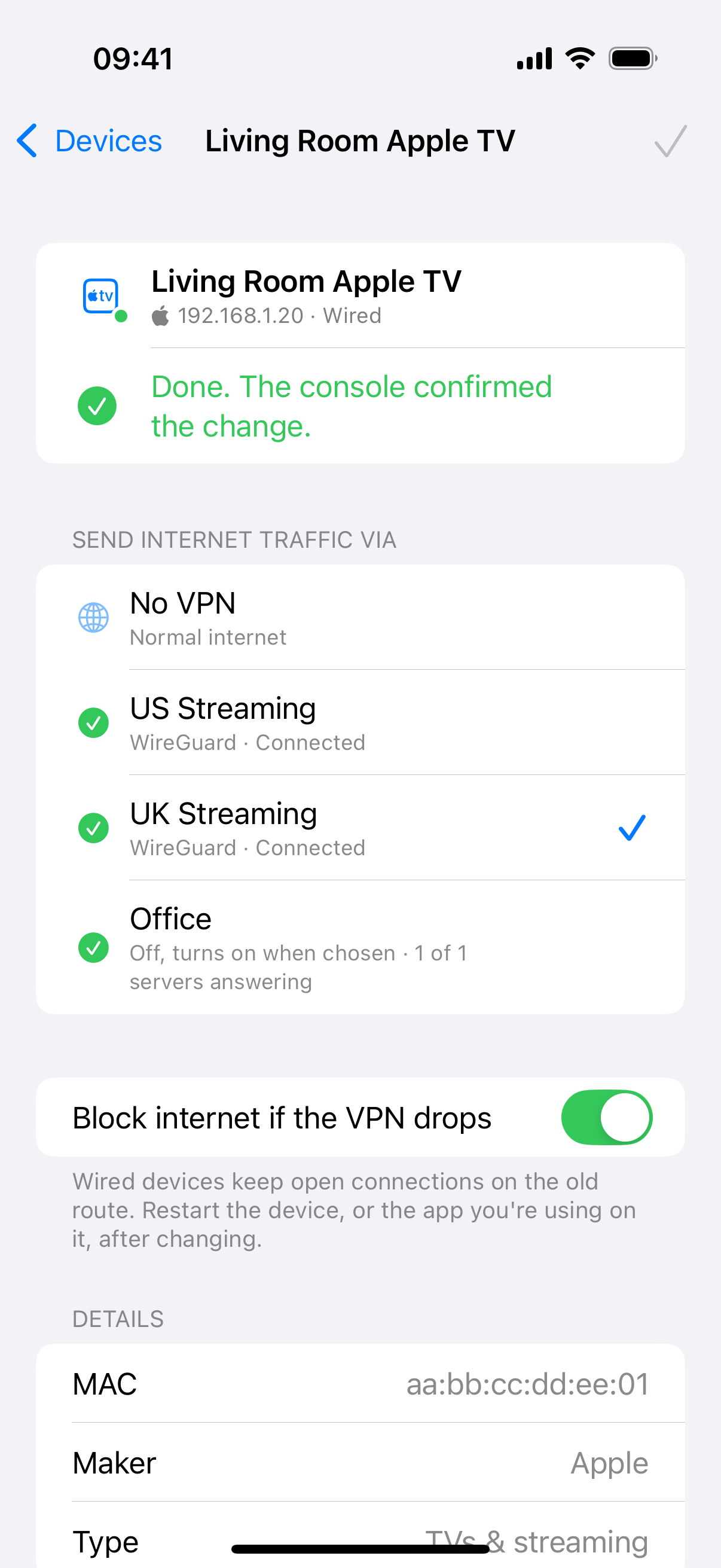
VPNs on when you need them.
Exitway uses the WireGuard and OpenVPN client connections already set up on your console. Running many at once can stop the gateway routing through them, so it keeps the number down.
Block internet if the VPN drops is on by default, so a device does not fall back to your normal connection while its VPN is down.
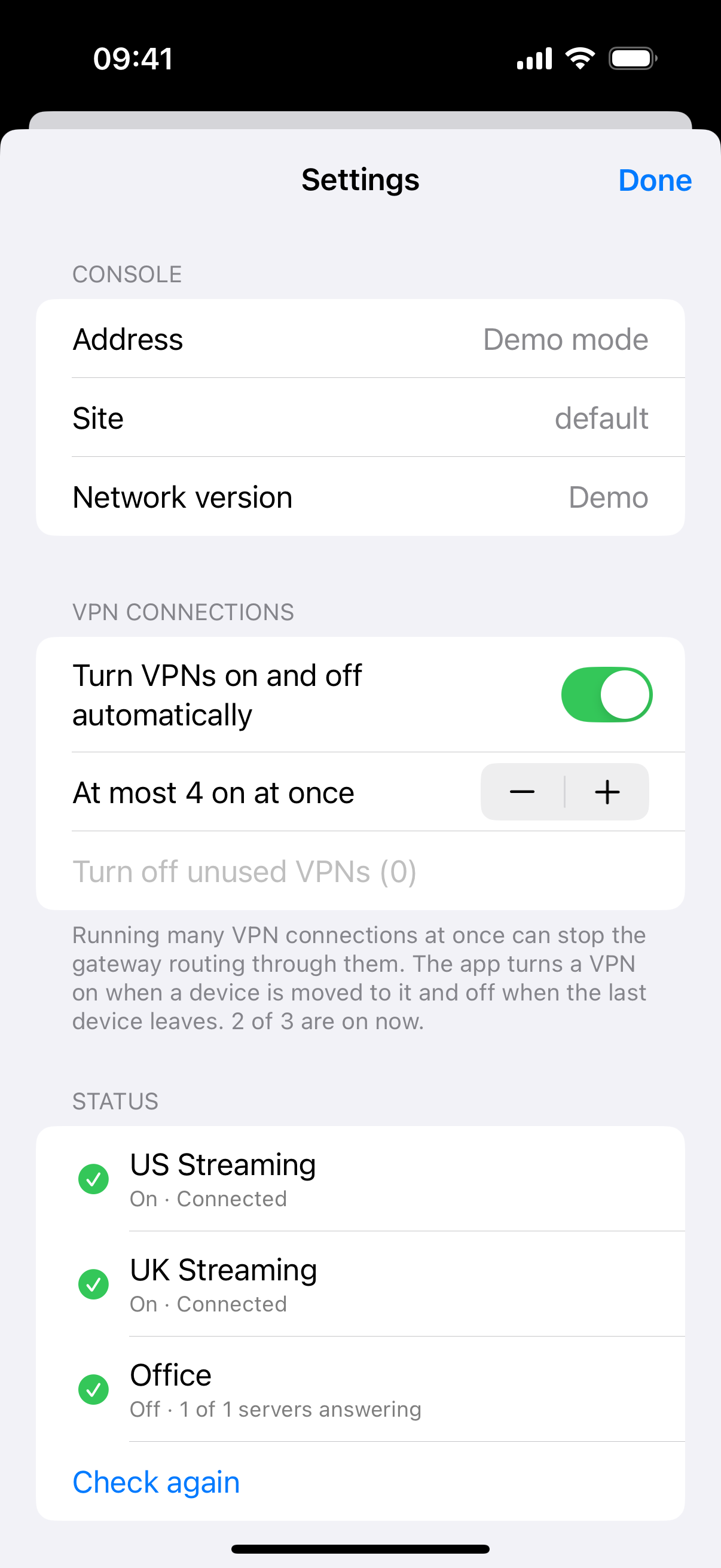
The rules live on your console.
Each device gets one policy-based route, labelled with its MAC address. Rules you made by hand on the console are never changed automatically.
Policy-based routes
  [exitway:aa:bb:cc:dd:ee:01]  Living Room Apple TV
  [exitway:aa:bb:cc:dd:ee:03]  Office-Mac
  Work laptop                  made by hand, left alone
What you need.
Exitway is free, with no in-app purchases. Not ready to connect? Choose Try demo mode on the first screen to explore with a sample network.
- A UniFi OS console, such as a UniFi Dream Machine, Cloud Gateway or Cloud Key
- UniFi Network 9 or later, on the same network as your iPhone, iPad or Apple TV
- At least one VPN client connection on the console, using WireGuard or OpenVPN
- A UniFi API key, or a local admin account without MFA
- iOS 18, iPadOS 18 or tvOS 18 or later
On iPhone, iPad and Apple TV.
Get Exitway.
Coming soon to theApp StoreQuestions? Visit Exitway support →
UniFi is a trademark of Ubiquiti Inc. Exitway is an independent app and is not affiliated with or endorsed by Ubiquiti.